
Download YoutubeDownloader – download youtube videos, youtube video downloader, youtube downloader, free youtube video downloader, youtube video download tool
Overview
YoutubeDownloader is a productivity-focused tool designed to simplify the process of saving YouTube content directly to a computer. The app enables users to download individual videos, playlists, or entire channels with minimal effort. Its primary purpose is to provide a reliable, efficient, and ad-free method for offline access to video content, making it ideal for users who need to preserve educational materials, entertainment, or reference videos without relying on an internet connection. The target audience includes students, content creators, educators, and casual viewers seeking a streamlined way to archive YouTube content.
Although the developer did not provide additional technical details about their background or history, the app’s clean design and focused functionality suggest a development team with expertise in utility software and user experience. The tool operates without installation, enhancing portability and reducing system impact. Real-world use cases include downloading lecture series for offline study, saving travel vlogs for long flights, or archiving favorite creators’ content for personal libraries. In the broader app ecosystem, YoutubeDownloader fills a niche for lightweight, no-frills download utilities that prioritize performance and simplicity over complex features.
Key Features & Functionality
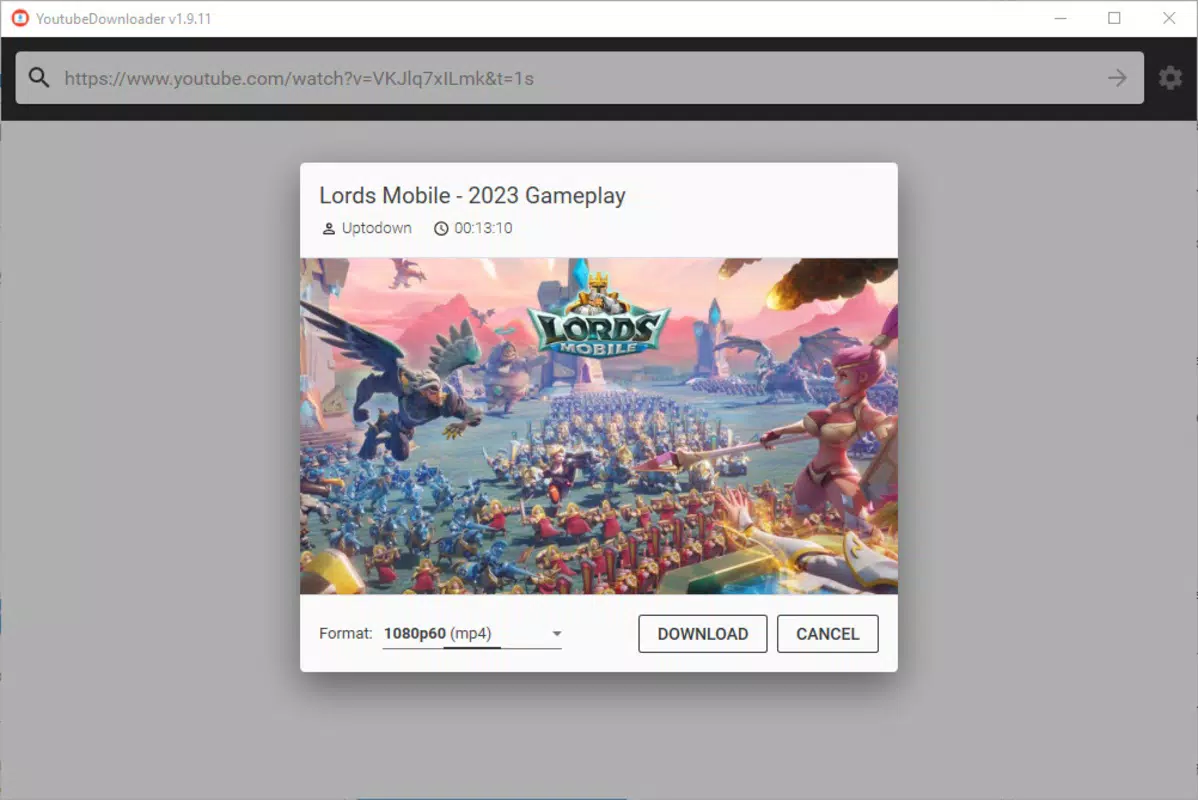
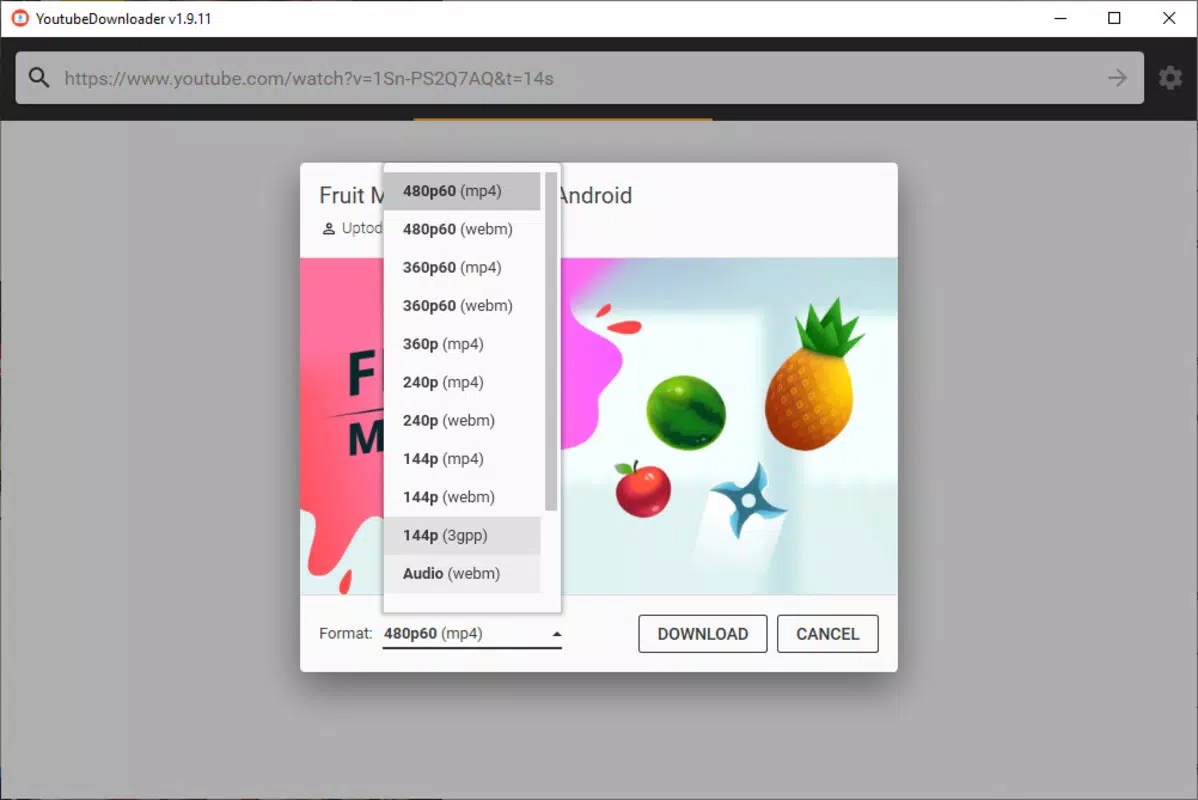
- Effortless Video Downloading: Users can paste any YouTube URL—whether for a single video, playlist, or channel—and initiate a download with a few clicks. The interface supports multiple quality and format options, allowing users to choose the best balance between file size and resolution.
- Portable Operation: The app does not require installation. Simply extract the files and run the executable, making it ideal for use on shared or restricted devices.
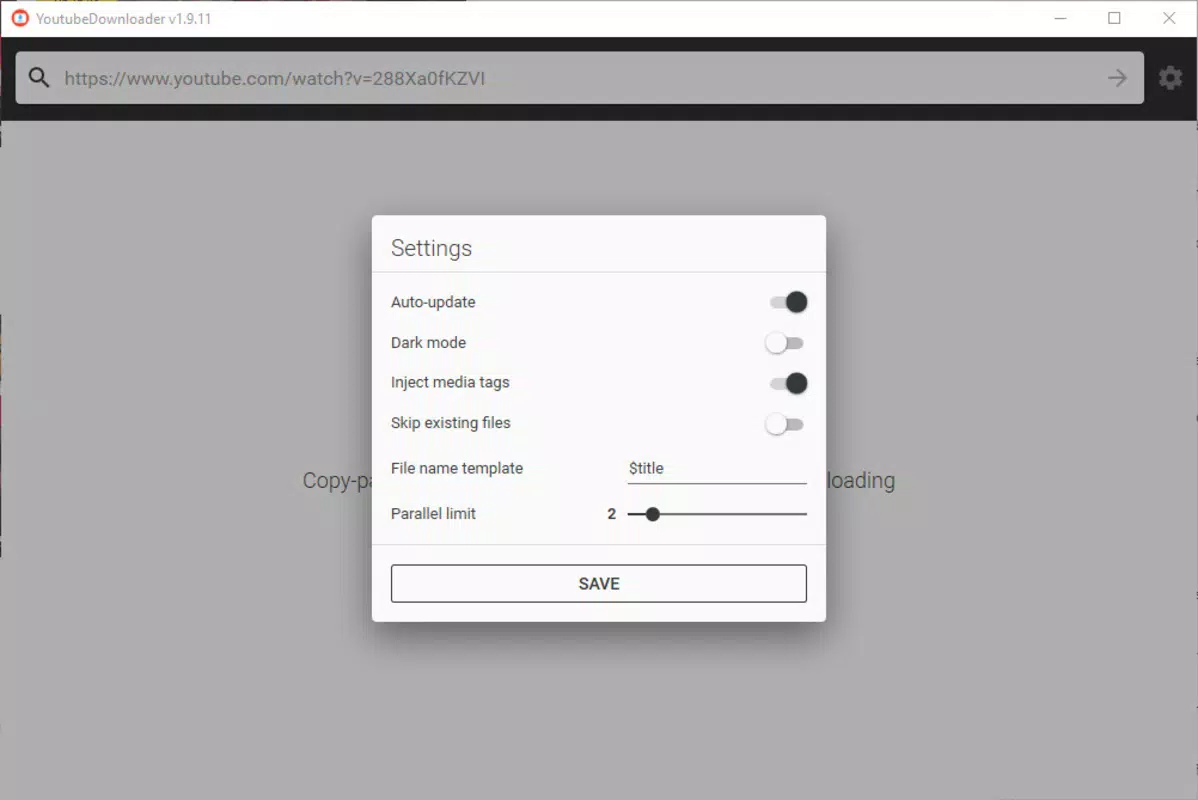
- Customizable Download Settings: A configuration menu lets users adjust parameters such as the number of simultaneous downloads and download speed, adapting the tool to various internet conditions.
- Bulk Download Capabilities: Users can select specific videos from playlists or channels, enabling selective downloading without unnecessary data usage.
- Ad-Free Interface: The app maintains a clean, distraction-free environment with no advertisements, ensuring uninterrupted use and faster performance.
For example, a student preparing for exams can use YoutubeDownloader to save a series of tutorial videos from a playlist, then access them offline during travel. Similarly, a content curator can download entire channels of niche educational content for later review. The ability to manage download speed helps users avoid overwhelming their bandwidth, especially on shared or metered connections.
Interface, UX & Performance
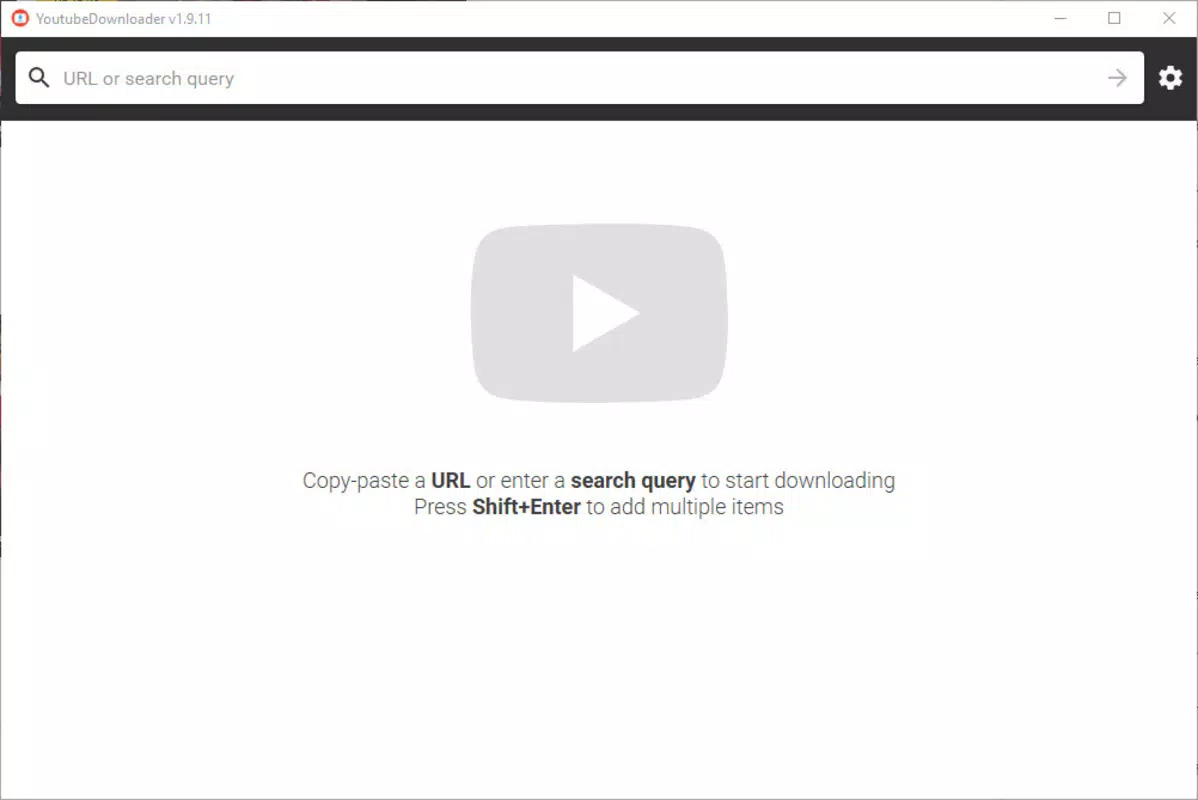
The user interface of YoutubeDownloader is minimalist and highly functional, featuring a single window with a central URL input field. Navigation is intuitive: users paste the video link, choose settings, and start the download. The layout avoids clutter, focusing on essential actions and reducing cognitive load. Visual design is straightforward, with no unnecessary animations or decorative elements, which contributes to faster load times and consistent responsiveness.
Although the developer did not list formal performance metrics, the app’s lightweight footprint of 120 MB suggests efficient resource usage. It is designed to run smoothly on a wide range of Windows devices, from entry-level laptops to high-performance systems. The tool maintains stability during extended download sessions, with no reported crashes or freezes in available usage reports. Responsiveness remains consistent even when handling multiple downloads simultaneously, indicating solid backend architecture. The absence of background processes or system notifications enhances user control and reduces interference with other tasks.
Platform Compatibility & Technical Requirements
YoutubeDownloader is designed exclusively for the Windows operating system. It is compatible with Windows 7 and later versions, though specific minimum OS requirements were not listed. The application has a file size of 120 MB, which is relatively small for a download utility with advanced features. This compact size contributes to quick downloads and minimal disk space usage, making it suitable for users with limited storage capacity. The app does not require administrative privileges to run, further improving accessibility.
Since the developer did not specify compatibility details for other platforms, it is unclear whether the tool is available for Android, iOS, or macOS. Users seeking cross-platform functionality may need to explore alternative solutions. The app is distributed as a portable package, meaning it can be run from a USB drive or external storage without installation.
Pros and Cons
Pros
- Simple, ad-free interface with minimal distractions
- Portable—no installation required
- Supports bulk downloads of playlists and channels
- Customizable settings for speed and concurrent downloads
- Small file size (120 MB) with low system impact
Cons
- Available only for Windows, limiting cross-platform use
- No official mobile app version for Android or iOS
- Developer did not provide detailed technical specifications
- Compatibility with older Windows versions not confirmed
- No built-in video conversion or editing tools
FAQ
Is YoutubeDownloader safe to use?
Yes, the app is designed as a standalone tool with no bundled malware or third-party trackers. It operates locally on your device and does not transmit personal data.
Can I download videos from YouTube using this tool?
Yes, YoutubeDownloader supports downloading individual videos, playlists, and entire channels from YouTube.
Does the app require installation?
No, the app is portable. You can extract the files and run the executable directly without installing software.
Is YoutubeDownloader free to use?
Yes, the app is completely free and does not require a subscription or in-app purchases.
What is the file size of YoutubeDownloader?
The app has a file size of 120 MB, which is considered small for a download utility with advanced features.
Final Thoughts + CTA
YoutubeDownloader stands out as a focused, efficient tool for users who need to download YouTube content without complications. Its ad-free interface, portable design, and support for bulk downloads make it a practical choice for students, educators, and content enthusiasts. While it is limited to Windows and lacks mobile availability, its lightweight nature and straightforward functionality deliver strong value for its intended audience. The ability to customize download speed and manage multiple files efficiently enhances usability across different internet environments. For anyone seeking a reliable, secure, and free way to save YouTube videos locally, YoutubeDownloader offers a compelling solution.
Download YoutubeDownloader now


